TOOLS
Figma, Jira
TEAM
The feedback of 3 designers + 1 PM and 8 engineers
IMPACT
15 enterprise customers and 1000+ attendees checked in within 1 month of release.
90 min wait — 6 min at most
Whova is a comprehensive event management platform designed to help organizers plan, promote, and hold various events, from conferences to expos. My work at Whova has been varied, but with a focus on the Trial Onboarding and Check-in features.
Context
Scaling event sizes come with scaling costs
Large events need to check-in hundreds at once, but existing solutions came with expensive hardware rentals or required paying for on-site support. I designed Whova’s first self-serve kiosk system—combining iPad check-in, badge printing, guided setup, and remote monitoring into a much leaner and more cost-effective solution organizers could run themselves.
Problem
Whova wasn’t built to handle the high volume and pace of check-in for large events, but existing 3rd-party solutions came with too much overhead.
Solution Preview
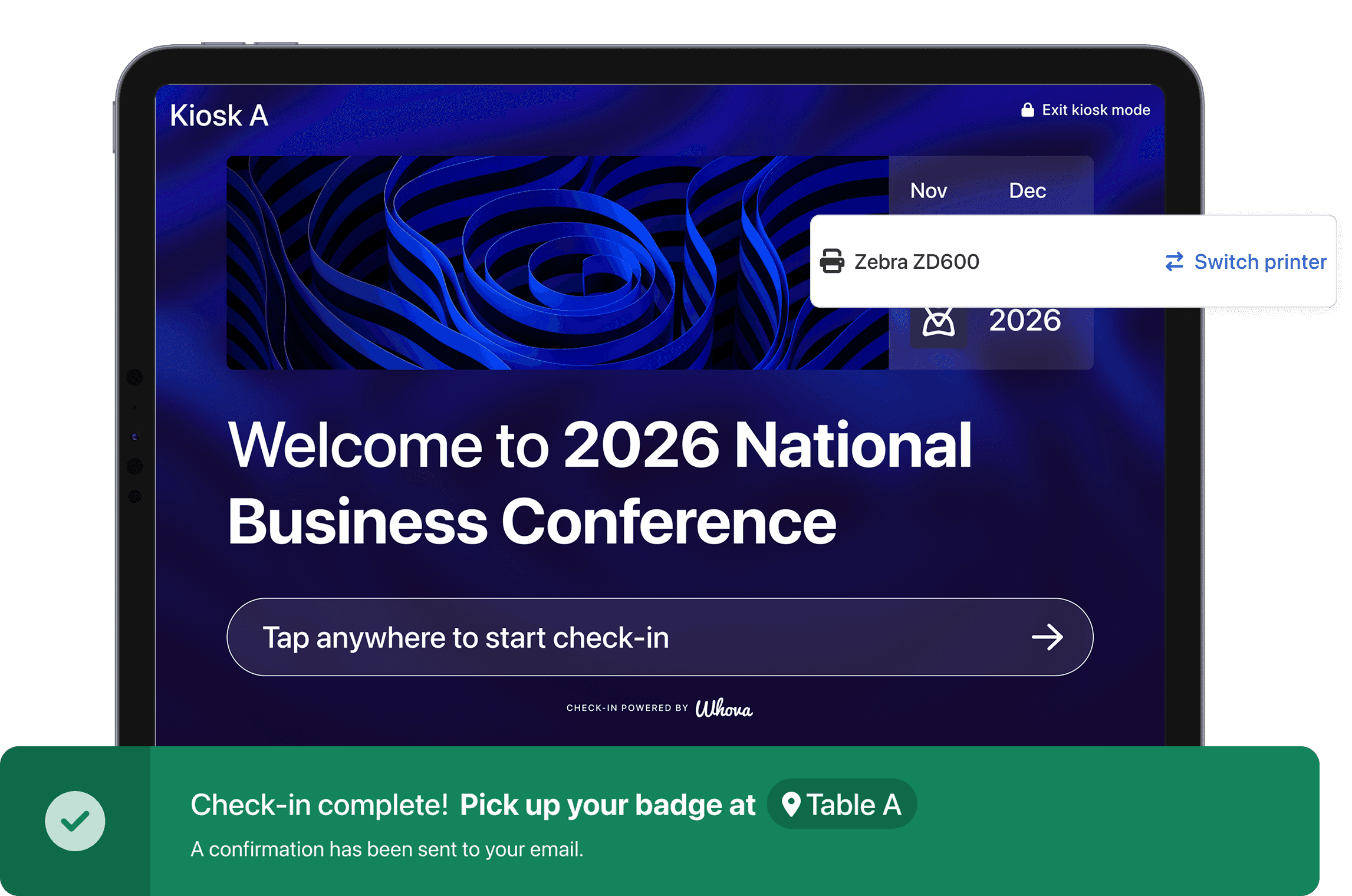
Designing for polish, clarity and most of all, speed.
A self check-in kiosk designed to move large crowds through check-in quickly and confidently—that anyone can easily set up themselves.
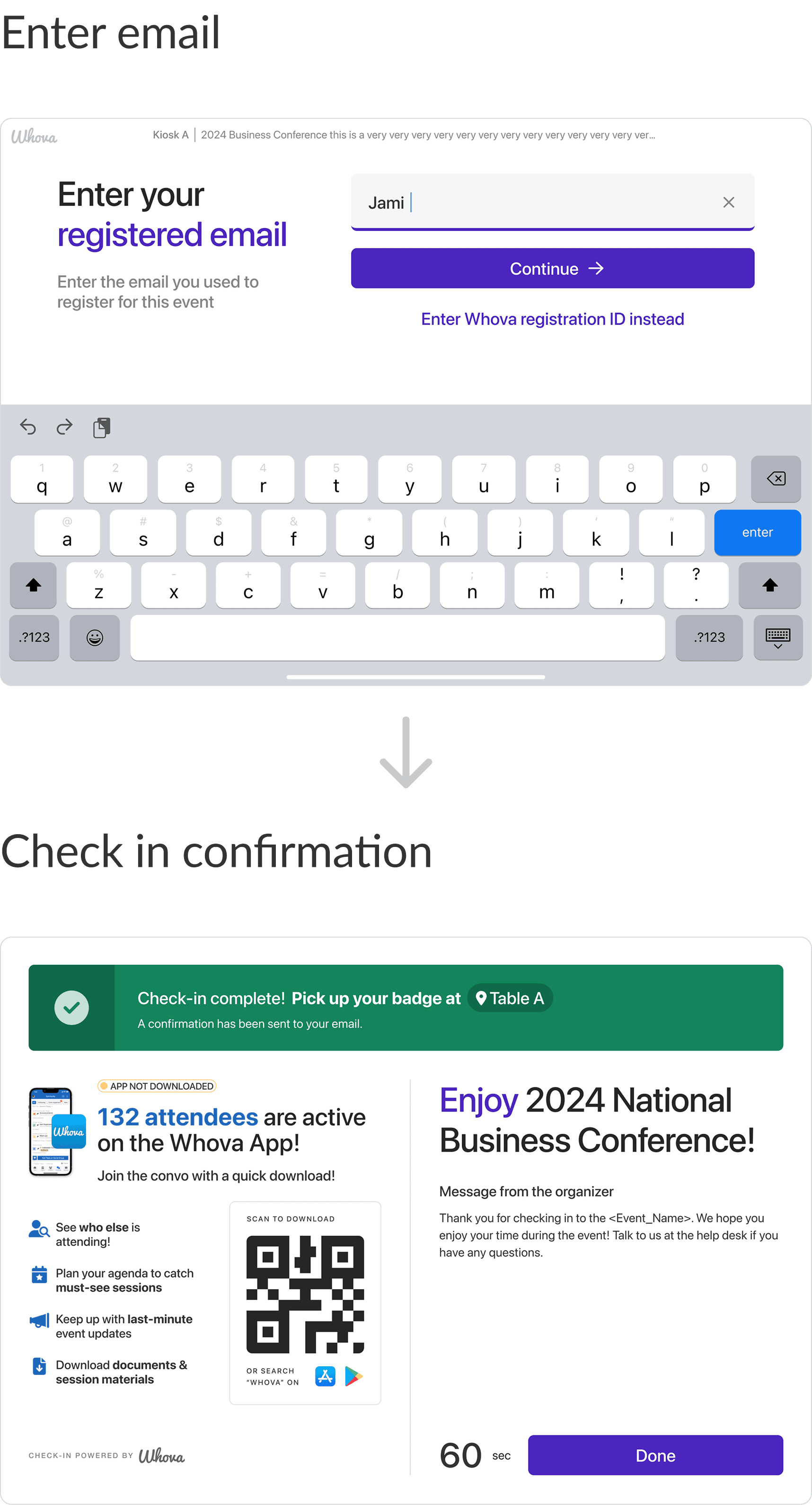
Guided setup
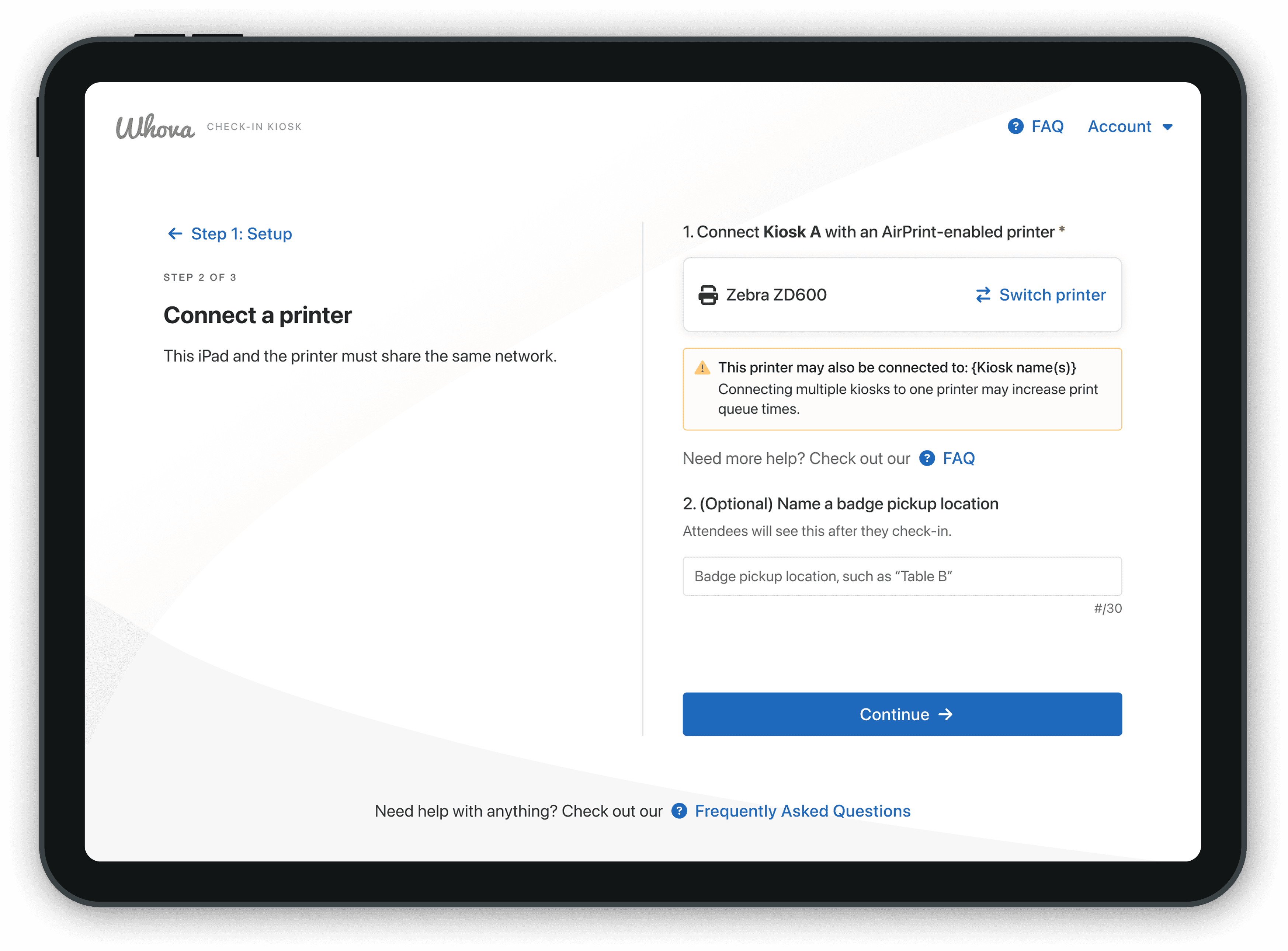
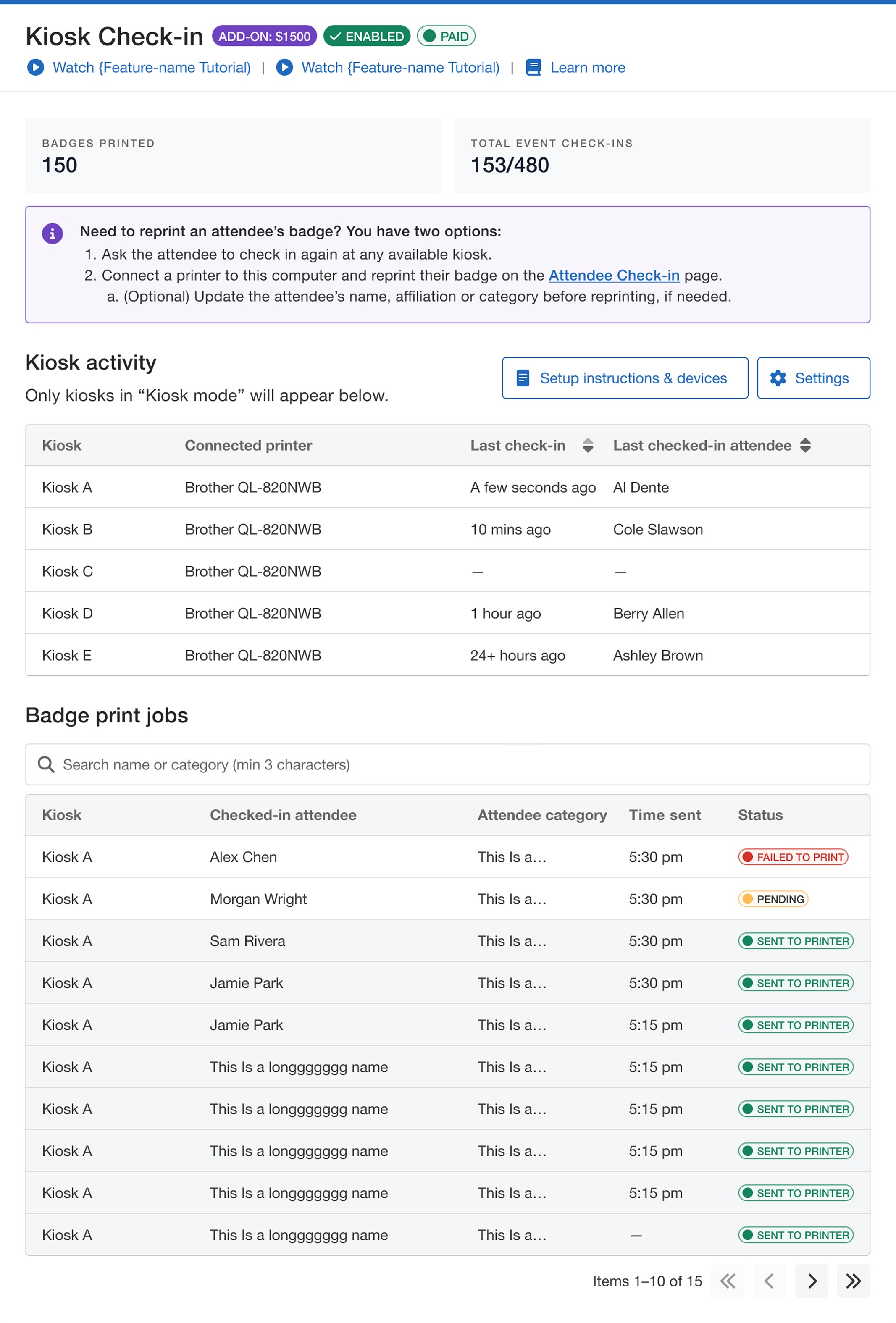
Monitoring dashboard
So how did I get here?
Imagine it's Day 1 of a 1,000-person event. Doors open—and hundreds of excited attendees flood in… only to be met with a 1+ hour line for check-in.
Long wait times & flustered staff
Staff have to manually process every check-in on top of assembling badges.
Disorganized, slow first impression
High attendee volumes mean long lines and staff spread thin.
A printer jams, holding up an entire line
Printer jams and other issues such as spotty wi-fi are common.
Customers were frustrated… Whova's existing solutions were either inflexible or technically limited.
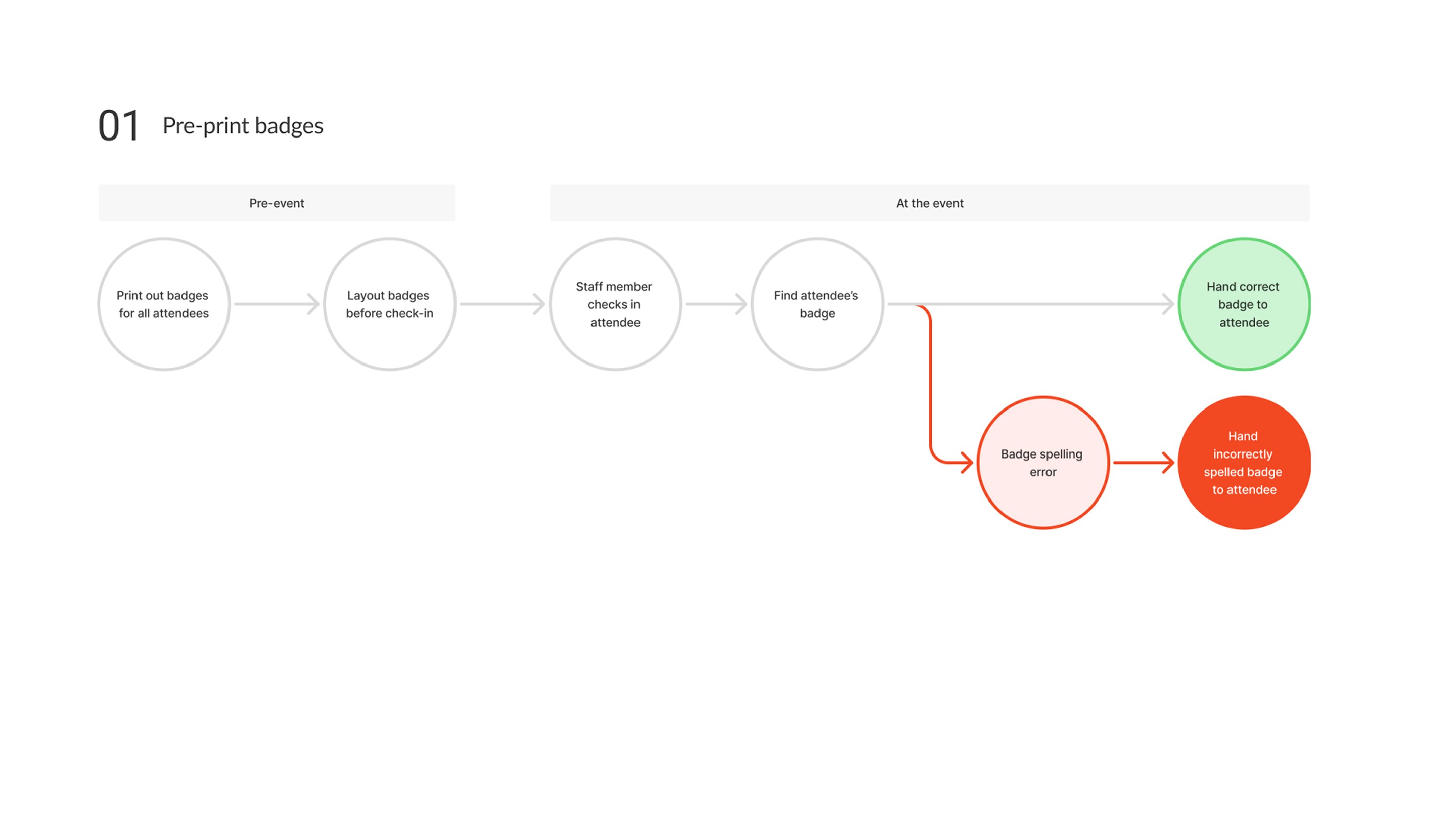
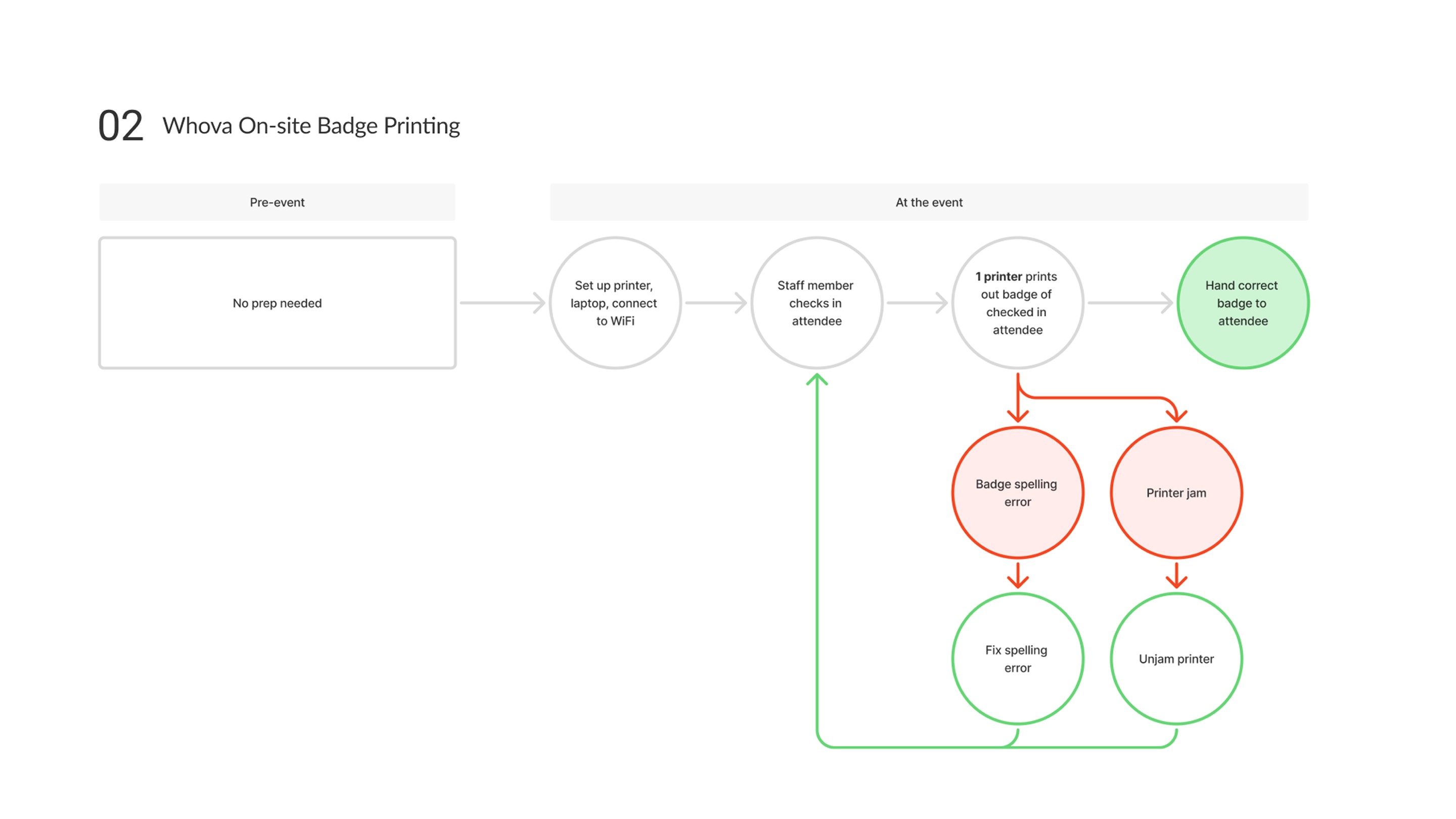
User interviews
This was backed up by organizers, attendees, and sales
“There are so many attendees just waiting in line! I wish we could get them through more quickly… even with all our staff checking people in, people are waiting a long time. It really doesn’t leave a good impression.”
— Organizer
“I don’t want to wait in this long line just to check into the event and get my badge. If I could just check myself in, this would be so much faster.”
— Attendee
“Unlike our competitors, we do not support checking in attendees across multiple kiosks at once. This can be a real deal breaker for large clients that require a scalable solution.”
— Sales
Research
To understand the problem, I started by auditing similar options on the market.
Competitors only support options that are comprehensive but costly $$$
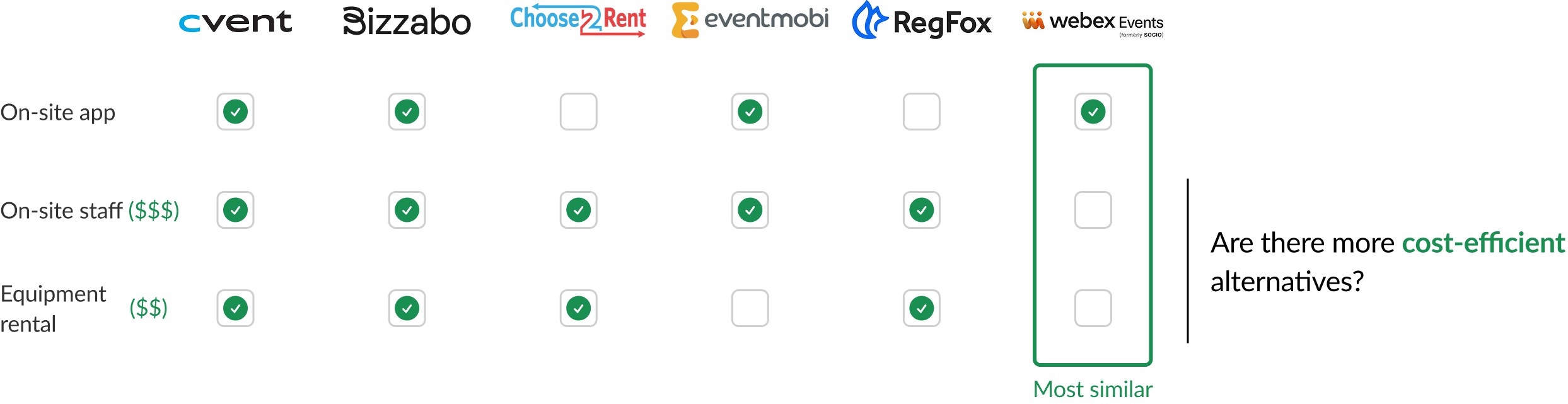
There was a lot of potential for us to carve our own niche.
01
Using our badge printing also brings customers into our Name Badge designer and other features.
02
Sales receives many complaints about limited badge printing capabilities
03
Out of customers who use Whova for Check-in, ~45% of them do not use Whova for name badges.

With this new realization, I now had a clear goal.
Empower organizers with a lean check-in + badge printing setup built to impress crowds of any size
I started by mapping the experience from setup to check-in.
Getting a kiosk running involved more than just what attendees would see—organizers had to source hardware, configure devices, connect printers, and prepare everything ahead of time.
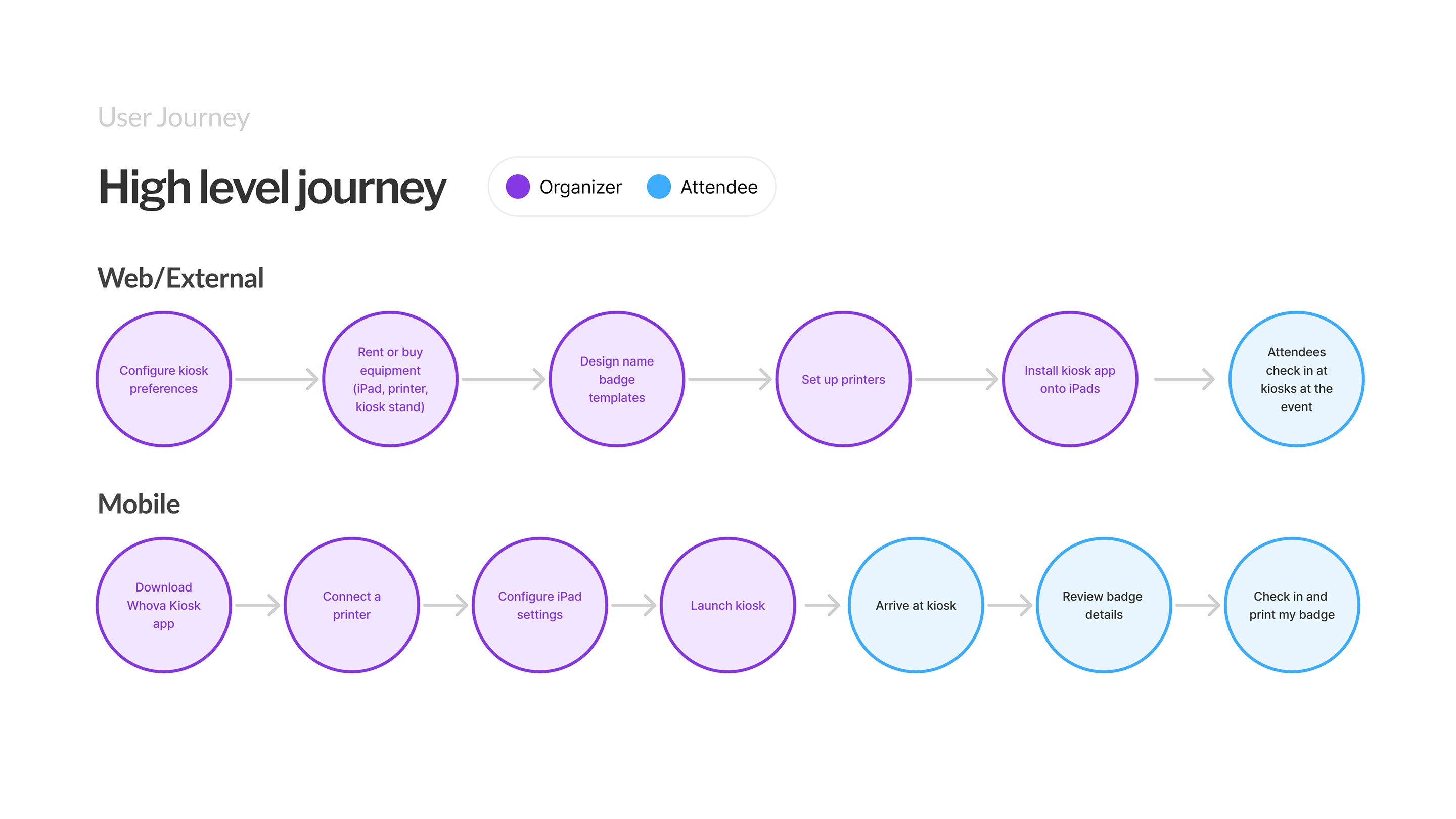
Outlining everything helped me focus designs around 3 key moments.
Before doors open
Organizers need to source iPads & printers, install an app and configure external settings for both.
When the rush hits
Events want to set a good first impression, which means minimizing wait times.
When something goes wrong
Printer jams, shaky wi-fi, badge typos and more can bring everything to a halt.

01 | The first stage
Before doors open
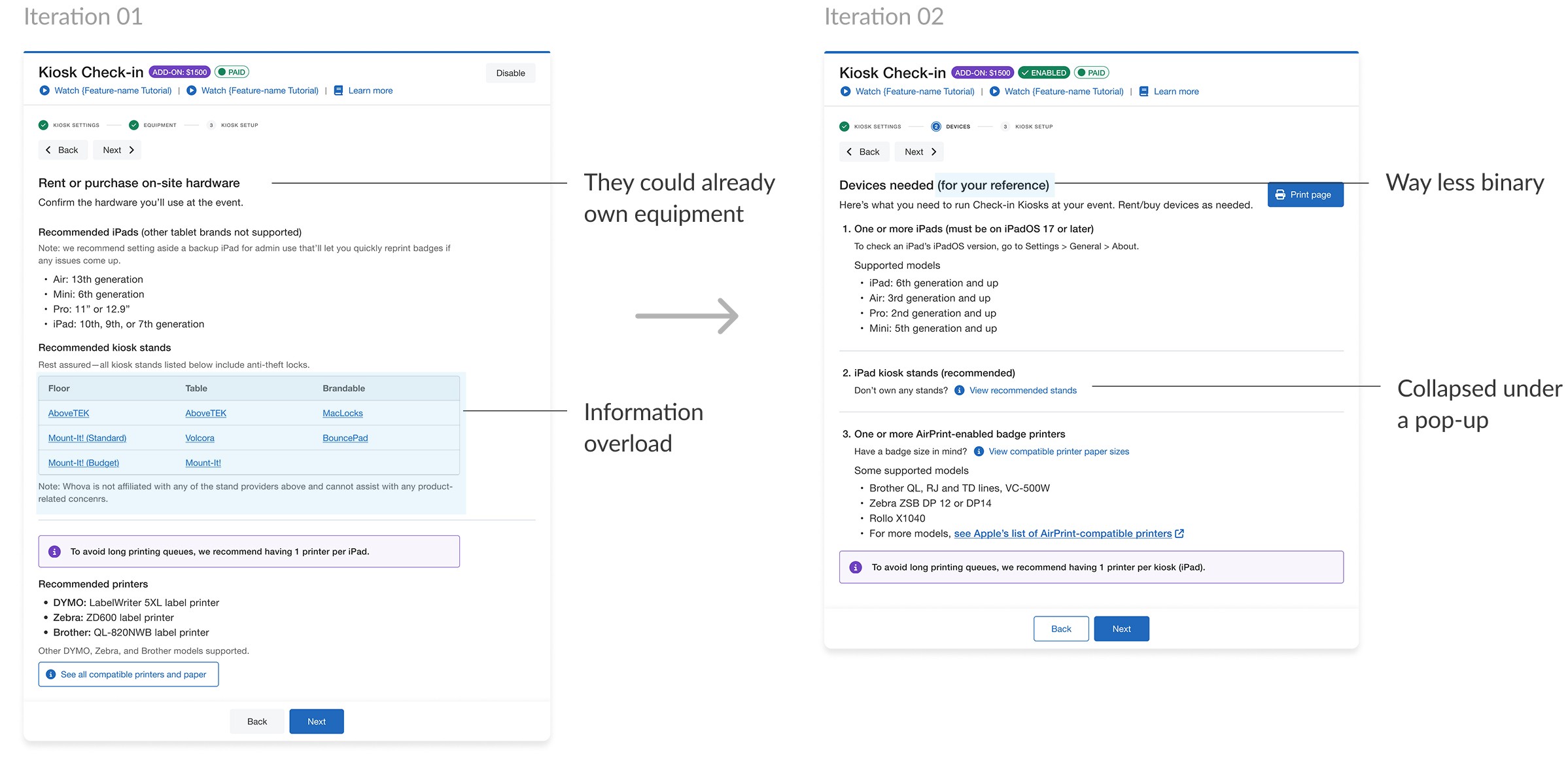
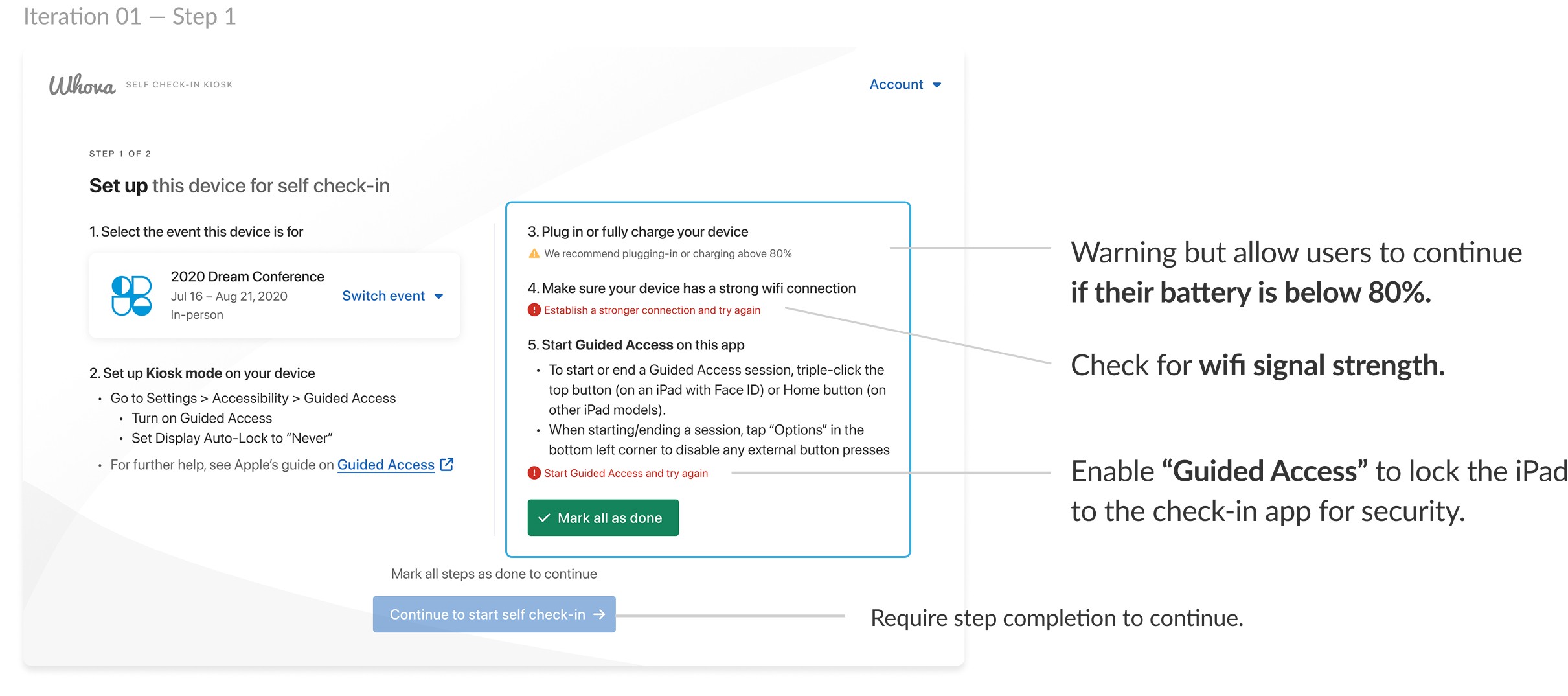
Reframing equipment requirements in a friendlier tone
We realized a long checklist could unnecessarily stress users, especially if they already owned some of the equipment.
Catching likely setup struggles ahead of time
I added real-time checks for common setup issues, helping catch and fix problems to help check-in go smoother.
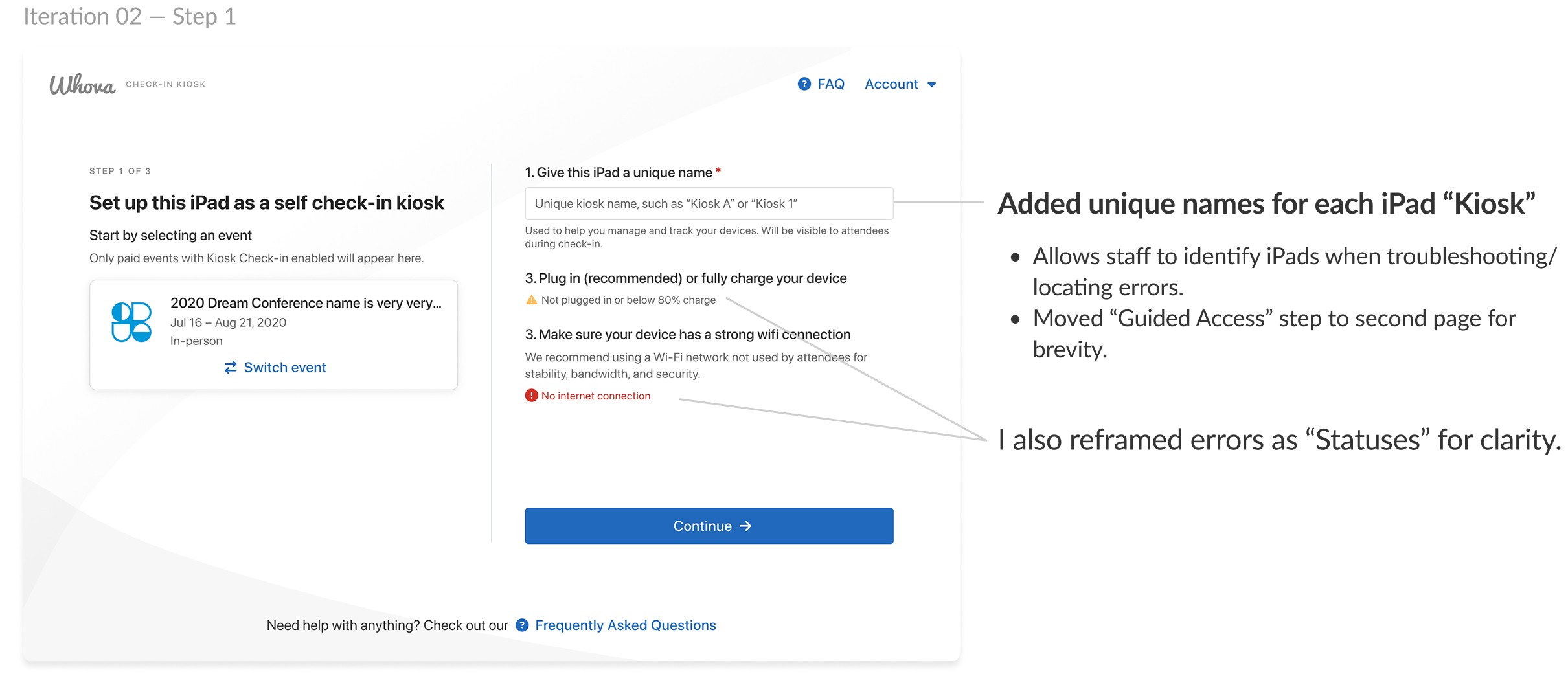
Giving errors more context
We realized it’d be difficult to describe issues if they came from multiple iPad Kiosks at the same time…users needed context.
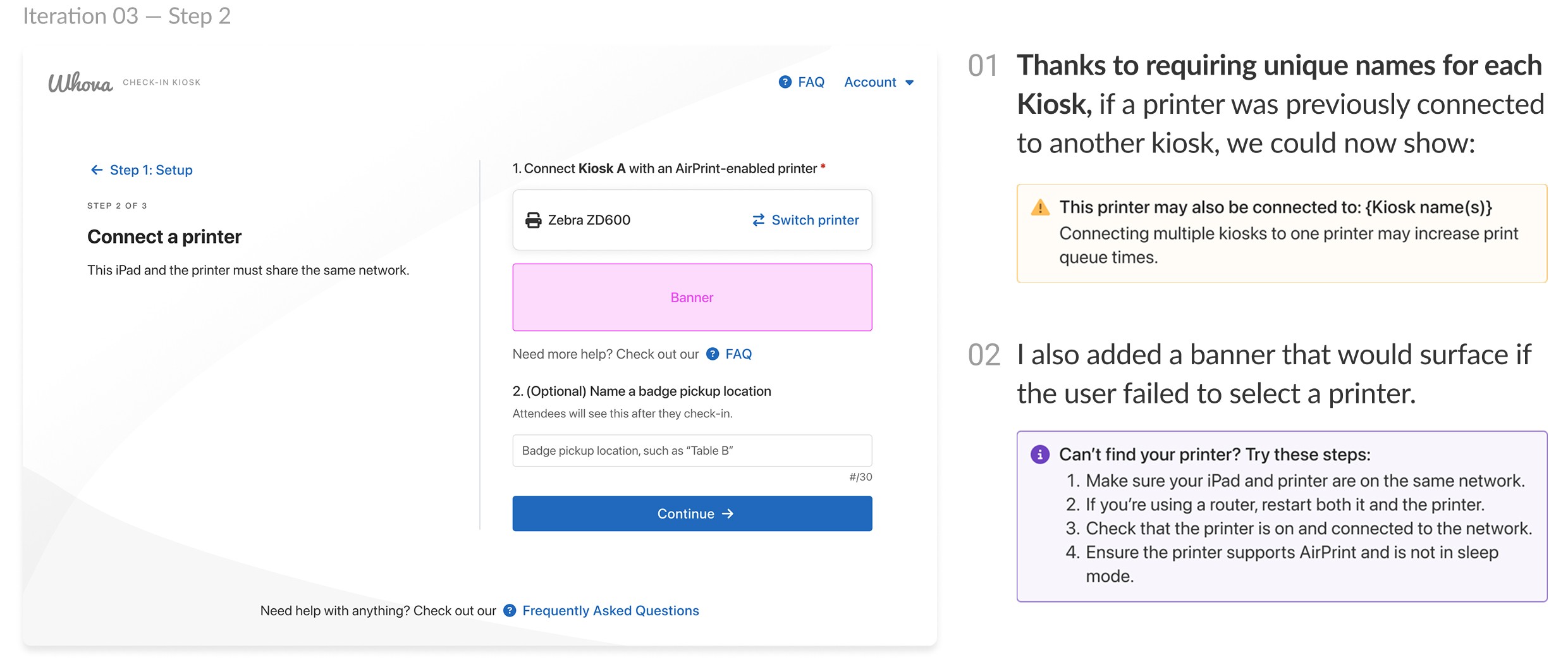
Linking printers to iPads
Since printers are notorious for taking a ton of trial-and-error, I focused on making the setup process more transparent and forgiving.
02 | When things get spicy
When the rush hits
Designing for speed and clarity
Making it easy to know what to do, where to tap, and when to move on.
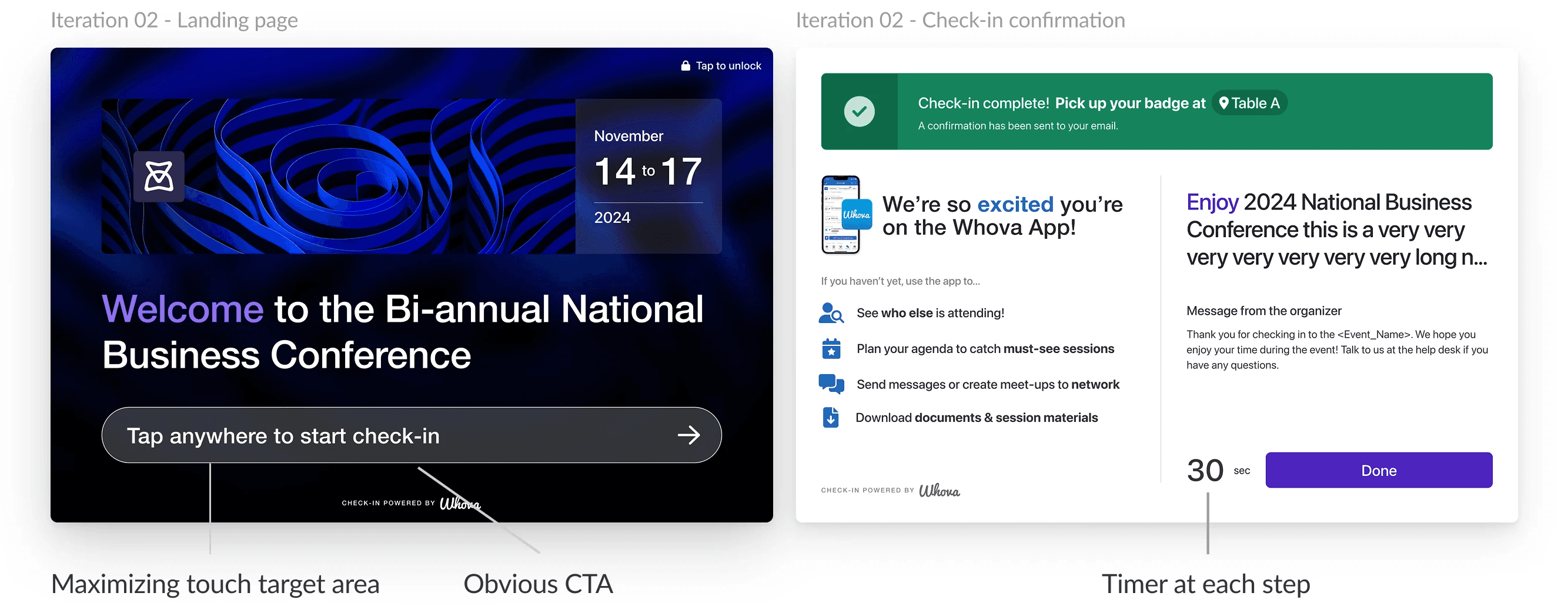
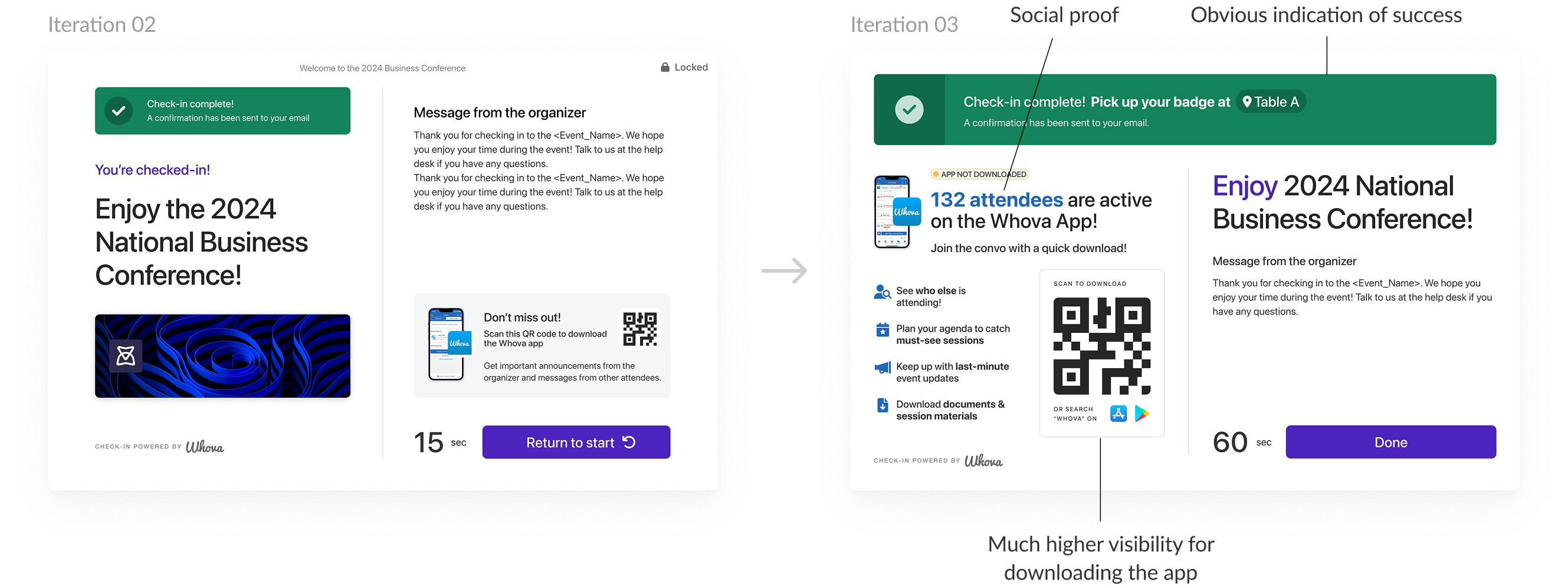
Scaling things up
Making check-in success unmistakable while optimizing available space to drive app adoption.
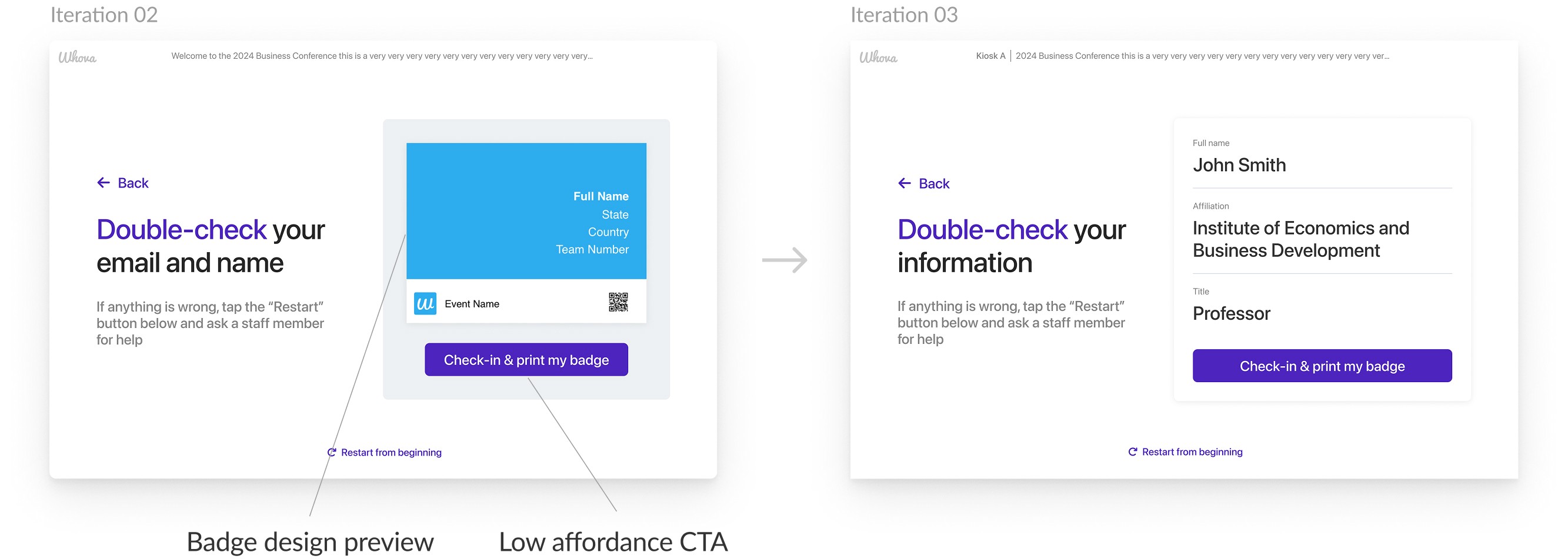
Focusing on accuracy over visual pop
At check-in, stopping to admire a beautifully designed badge matters a lot less than making sure your name isn’t spelled wrong.
03 | There's always something…
When something goes wrong
Mapping it out
I started by designing within technical constraints
Hardware failures are outside of our control, but we can still help make them less painful.
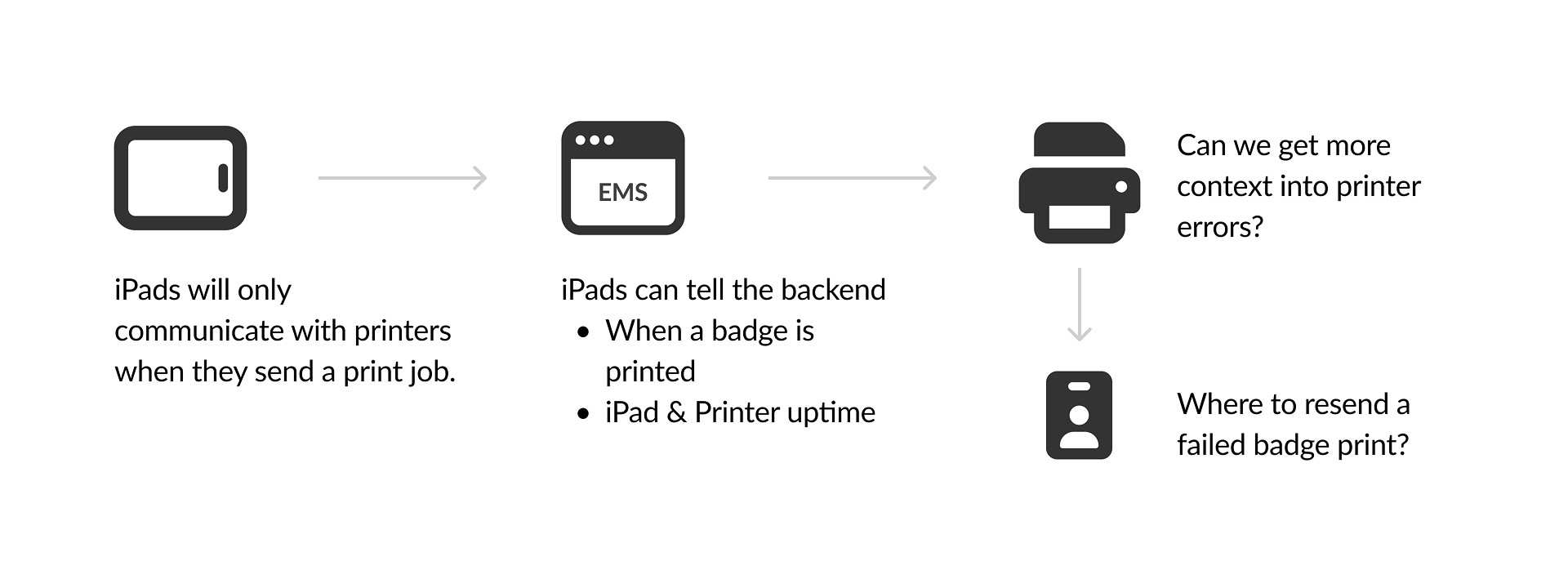
Being descriptive with errors
Printers provided very little in diagnostic info. This pushed me to find workarounds using contextual clues instead.
Print job failed
Generic error
Printer connection with iPad lost
iPad connection with Internet lost
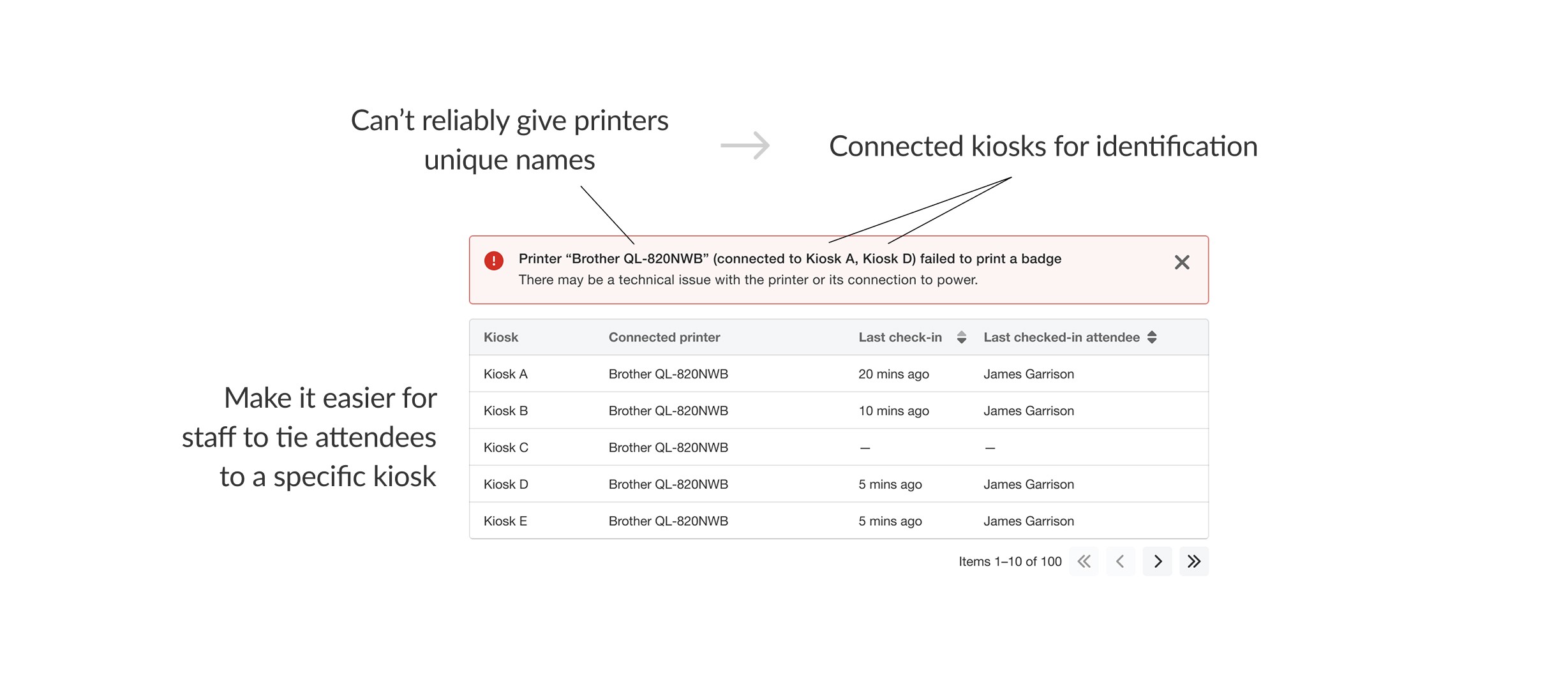
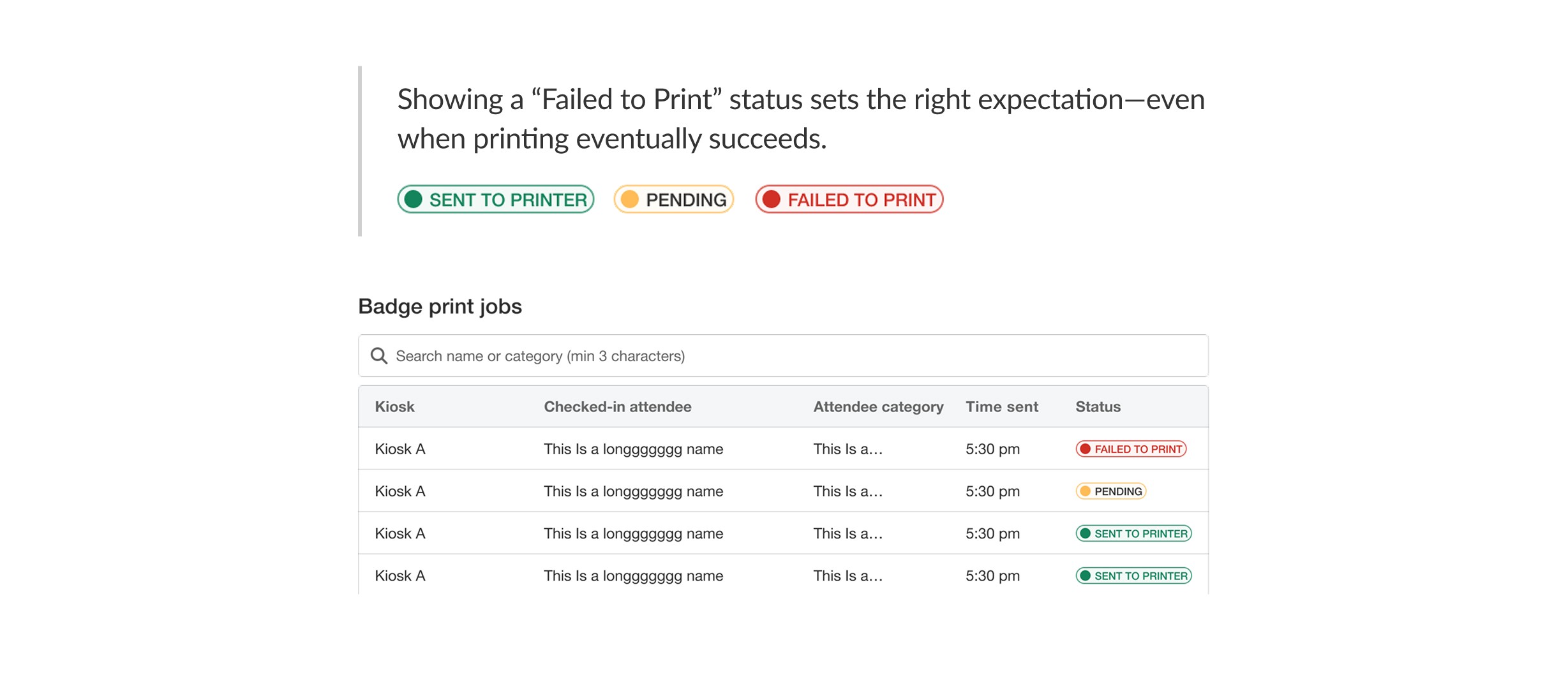
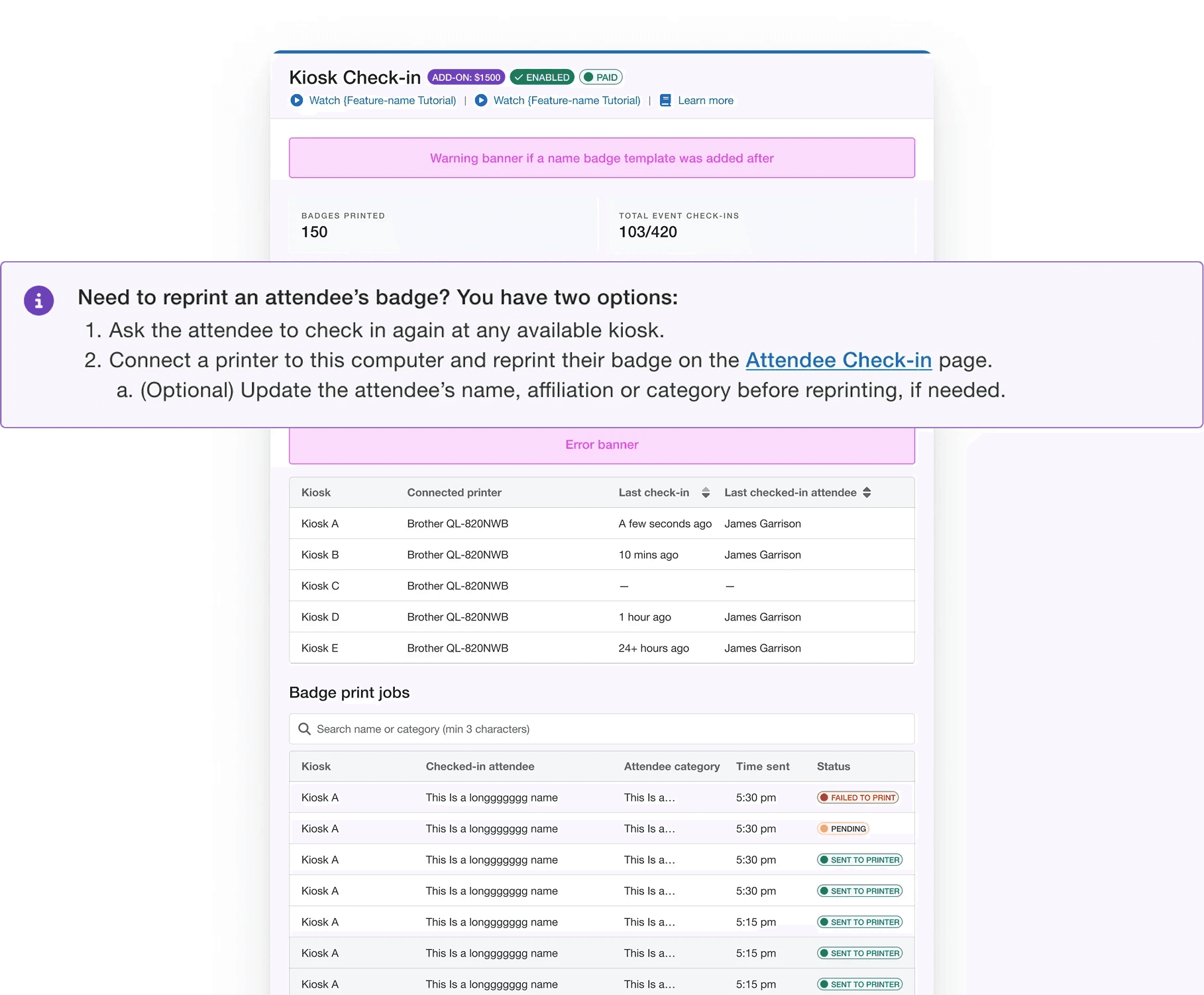
Defining a clear error recovery path in case of printer failure
Printer failures were the most common issue, but automatically rerouting a print job could create further confusion. We wanted to give users agency over errors.
Usability Testing
Internal testing exposed two gaps before launch
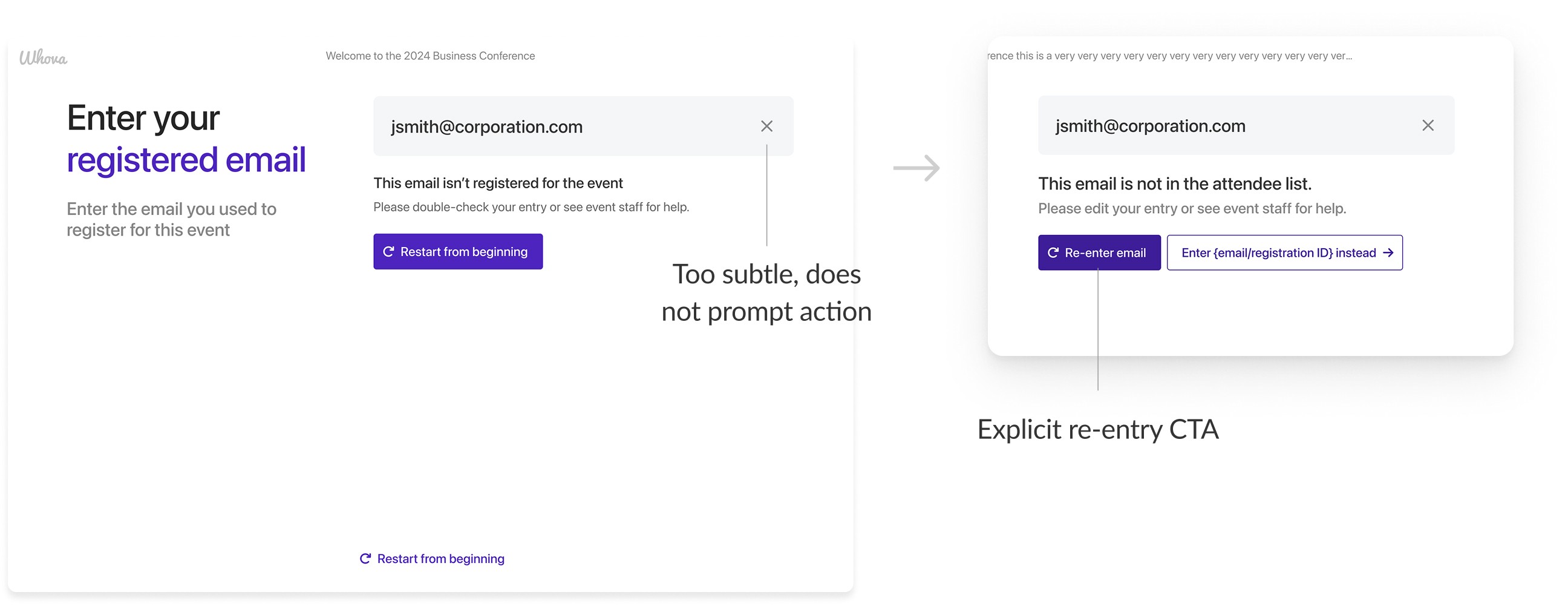
No obvious way to fix a typo
Some weren’t sure how to fix their email after making a typo
Conflicting feedback after checking in
The failure alert if a badge failed to print competed with the successful check-in message.

Usability Improvements
Even a small typo could create unnecessary stress without a clearly accessible recovery flow.
Attendees still needed to understand they were checked in, even if their badge failed to print.

Within the first month…
15+ customers
Purchased Kiosk Check-in.
This also locked customers into using Whova's Name Badge and other related features.
1000+ attendees
Checked in without issue.
"[Kiosk Check-in] took our registration line wait from 90 minutes at peak to 6 with six kiosk stations and 4,700+ attendees."
— Early major customer
Takeaways
Empathy as Reassurance
Simplifying the equipment checklist and adding completion checks reduced setup anxiety and helped organizers trust that everything was ready. Before demo, I never considered how a long checklist could present emotionally, especially to users who might be trying out kiosk printing for the first time.
Constraints are part of the solution
Instead of treating system constraints as blockers and overengineering around limitations, I realized it was more effective to work with them and shape smarter, more practical design decisions in collaboration with engineering.
Designing beyond the happy path
In high-pressure environments like check-in, success isn’t defined by the ideal flow, but by how the system behaves when things go wrong. I focused on designing clear recovery paths and feedback for errors and edge cases, so small failures wouldn’t turn into confusion, delays, or staff intervention.